Desktop reader for macOS and Linux · beta in preparation

Read. Think. Build.

Interleaf is a reader for the books and papers you learn from. Highlight in five colours, write in the margins, and — only if you connect one — ask an AI about the page or hand a passage to a coding agent. Your library, notes and conversations are stored on your computer.

Intel Mac, Linux and beta details

Coming soon The beta installer is not published yet (its download host is still pending), so this button does not download anything.

Linux too: Ubuntu, Debian, Omarchy and Arch Linux.

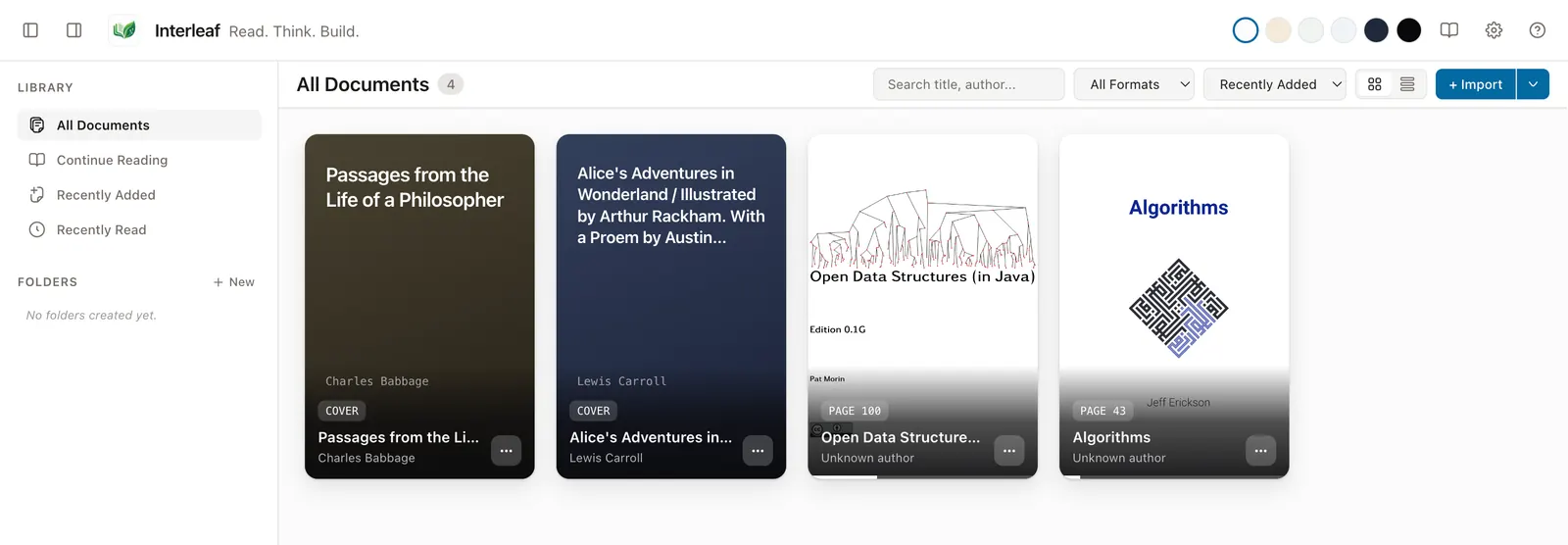
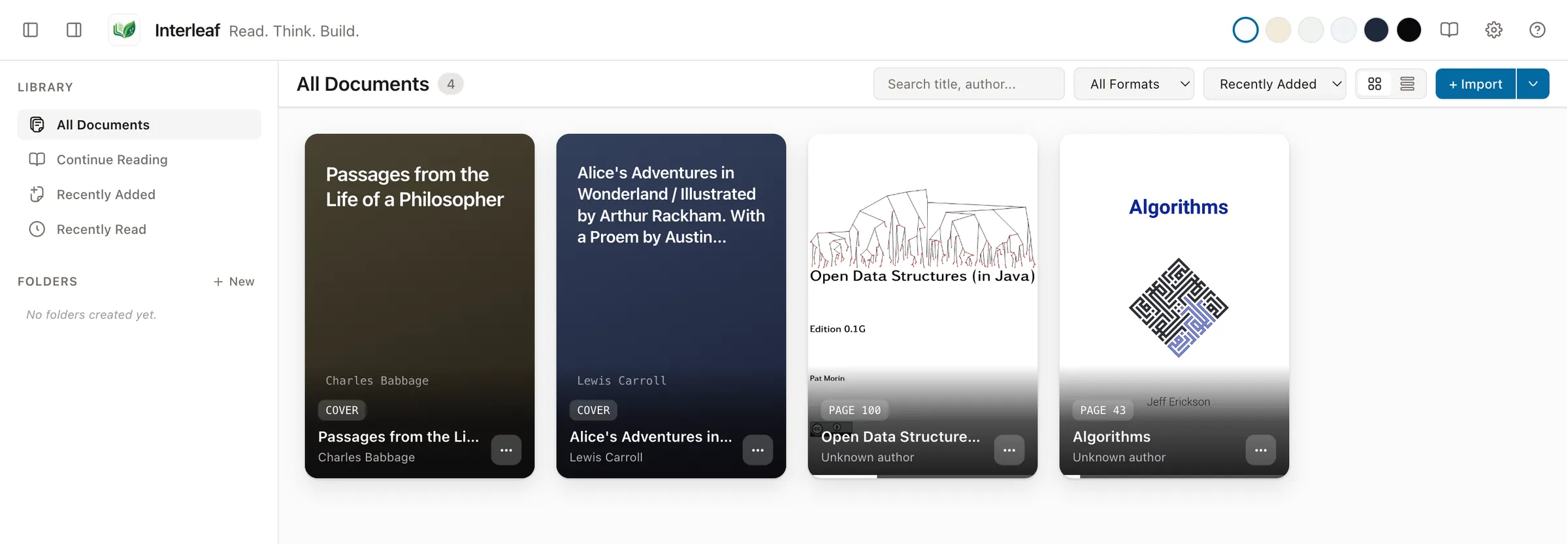
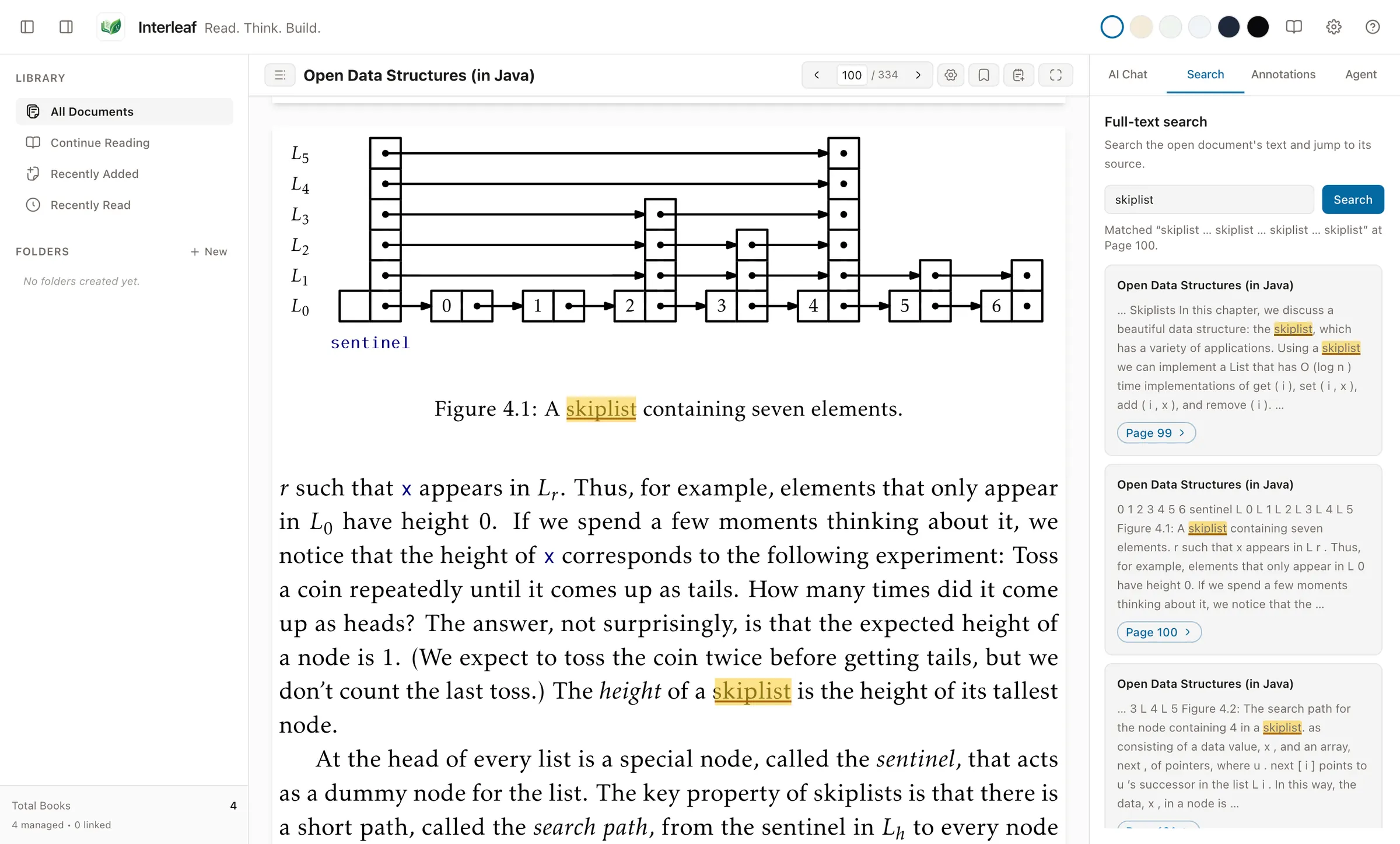
The Interleaf library showing four free demo books: Algorithms, Open Data Structures (in Java), Alice's Adventures in Wonderland and Passages from the Life of a Philosopher.
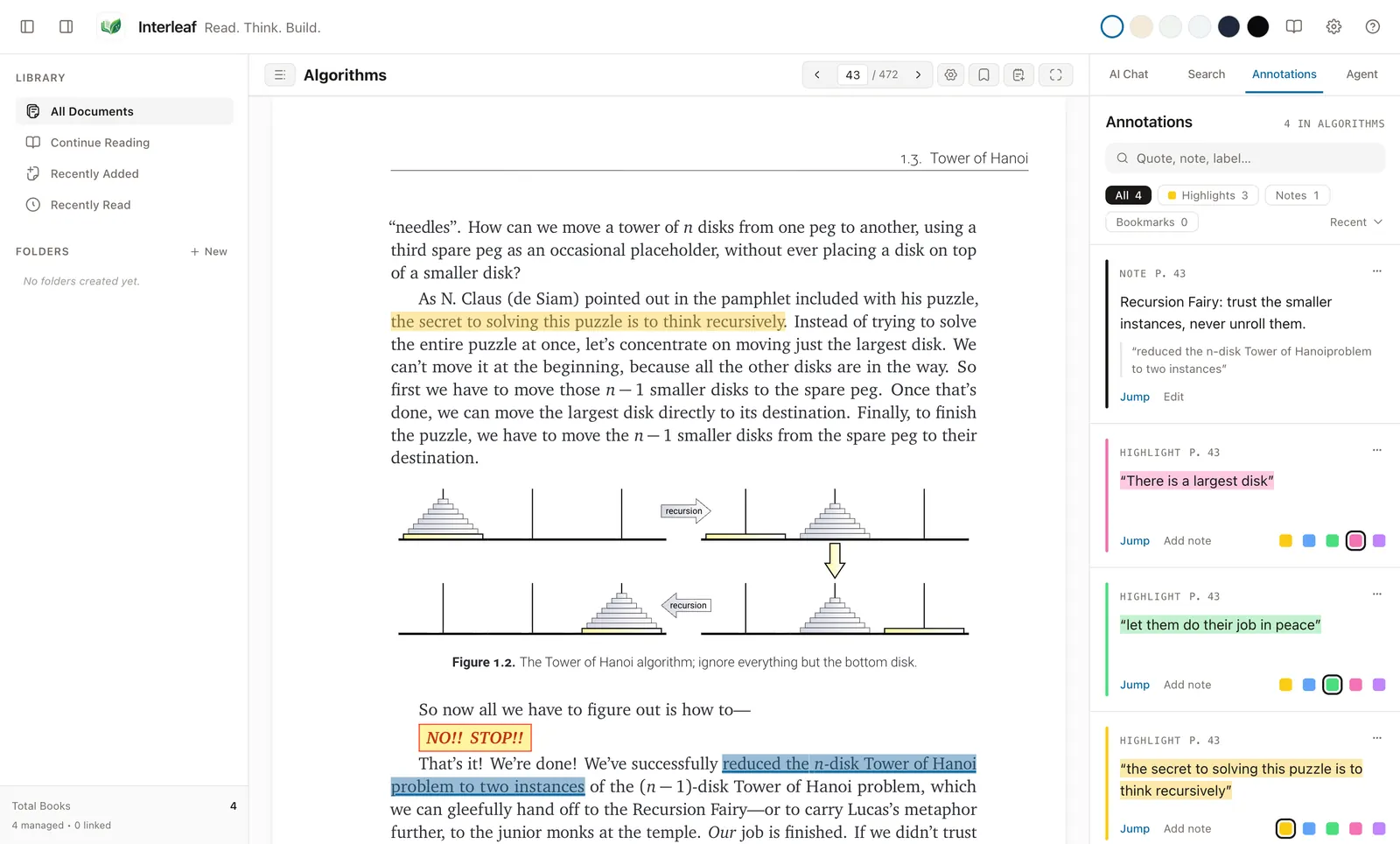
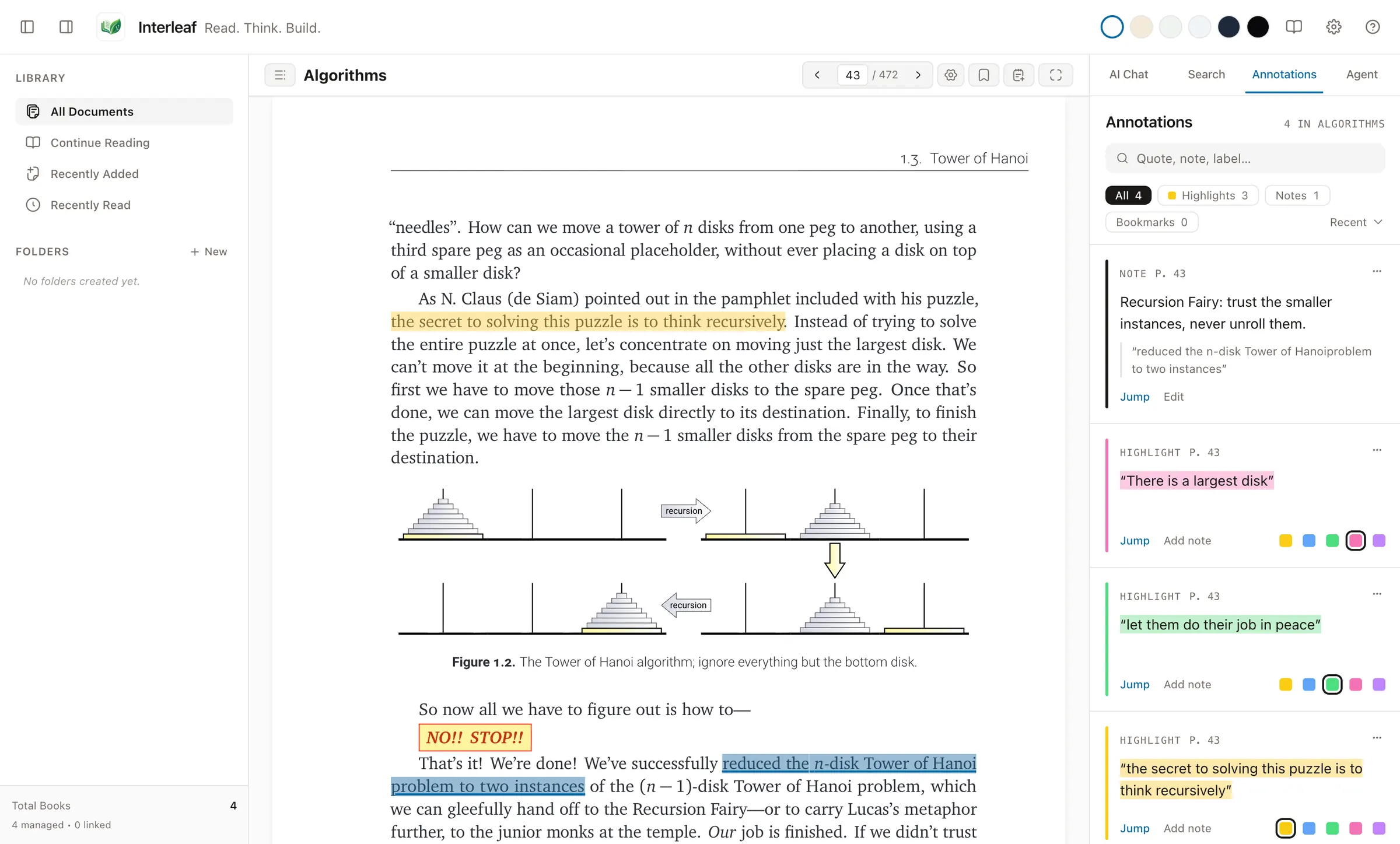
Jeff Erickson's Algorithms open at the Tower of Hanoi, with yellow, green and pink highlights and a margin note listed in the Annotations panel.

Real screenshots of Interleaf, taken in a fresh profile containing only the free books credited at the foot of this page.

Formats Interleaf opens

Library

One shelf for every format.

Import files, drag them in, or save a public web article as a Markdown snapshot with its still images archived locally. Keep a managed copy, or link a file in place and Interleaf will flag it as missing or changed if it moves.

  • Saved views: All Documents, Continue Reading, Recently Added, Recently Read
  • Nested folders, metadata filtering, sorting, grid and list views
  • Duplicates recognised by a SHA-256 hash of the file's content
  • Guided first-run setup — reading needs no account and no AI
Library grid with the four demo books, the All Documents view selected, and folder, filter, sort and view controls.
All Documents, in a library holding only the four free demo books.

Reading

A page that suits your eyes, and your hour.

Six reading palettes — Paper, Sepia, Moss, Ocean, Graphite and Midnight. Reflowable books take your line spacing, margins, font size and font family, including an OpenDyslexic-compatible option. PDFs zoom from 50% to 300% or fit the width or page. Interleaf remembers where you stopped.

  • Paper
  • Sepia
  • Moss
  • Ocean
  • Graphite
  • Midnight
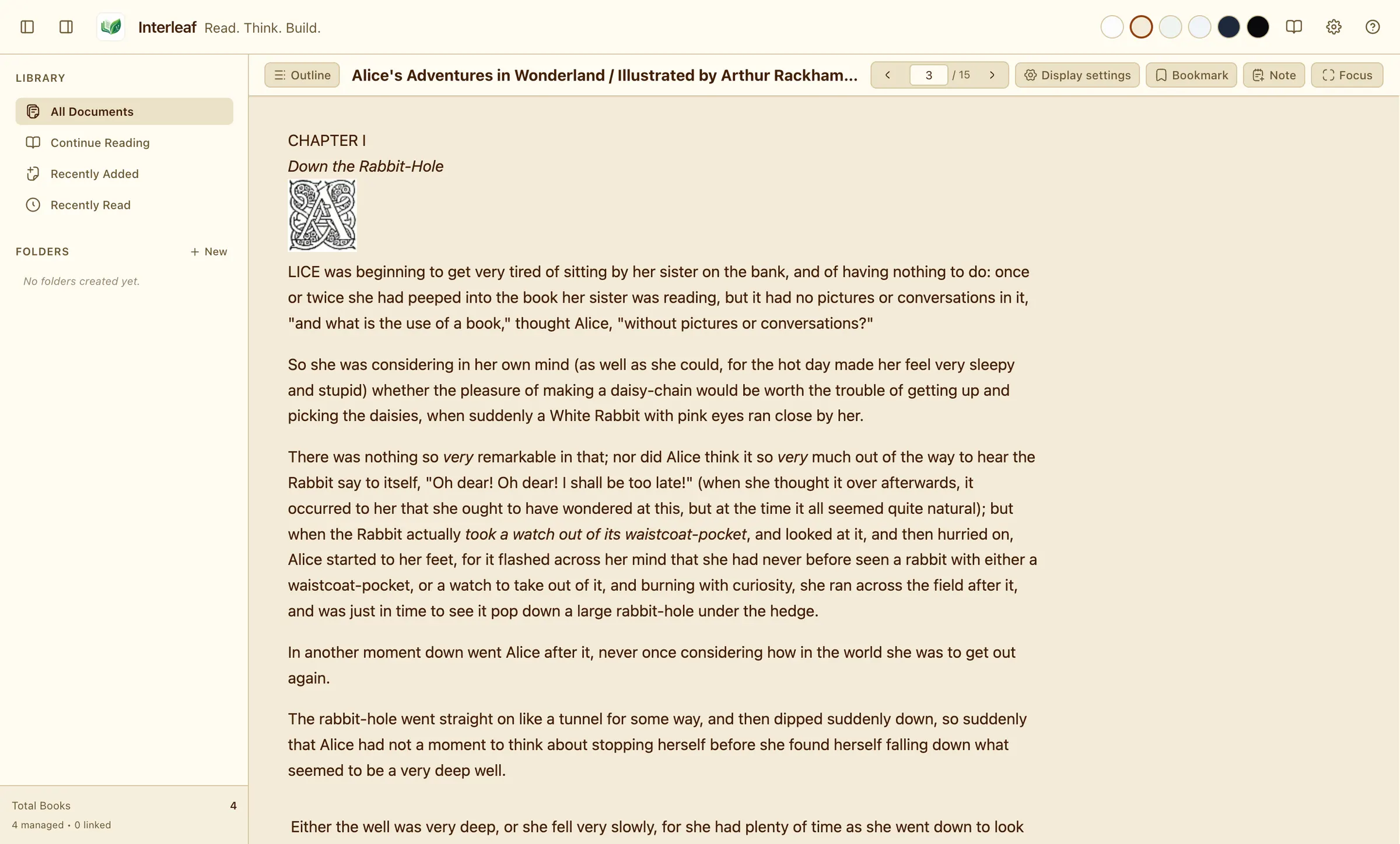
Alice's Adventures in Wonderland, Chapter I, Down the Rabbit-Hole, in the Sepia palette.
Sepia · an EPUB from Project Gutenberg
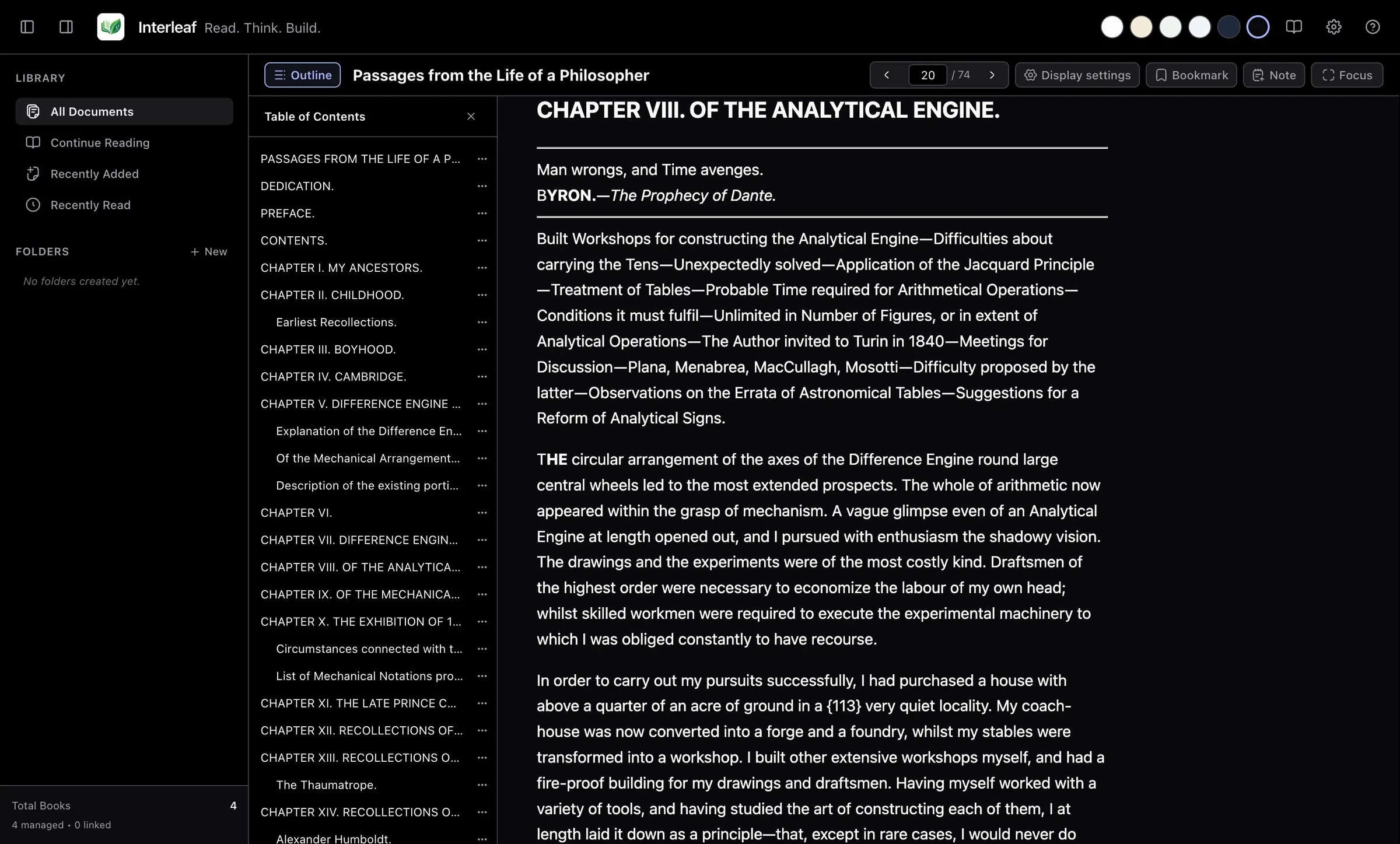
Charles Babbage's Passages from the Life of a Philosopher, the chapter on the Analytical Engine, in the Midnight palette with the table of contents open.
Midnight · table of contents open
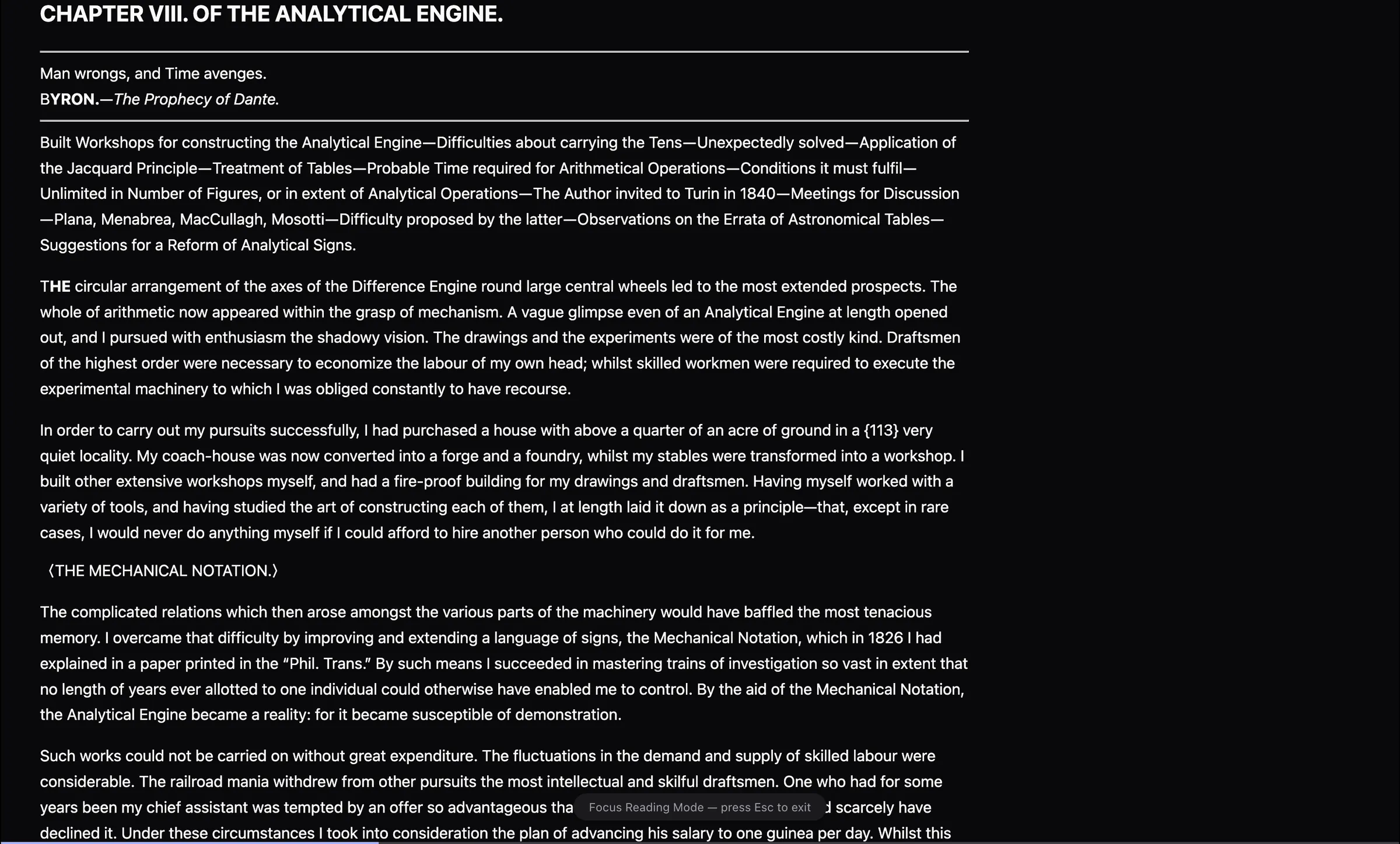
Focus Reading Mode: the same chapter with the library, toolbar and panels hidden.
Focus Reading Mode · F11 in, Esc out

Highlights & notes

Marginalia that stays put.

Select a passage and highlight it in Yellow, Blue, Green, Pink or Purple — each swatch is named, so colour is never the only cue. Attach a note to the passage or to your current location, and drop bookmarks as you go.

  • An Annotations browser with search, filters for highlights, notes and bookmarks, and sorting
  • Jump from any annotation straight back to its place
  • Highlights in reflowable books are anchored several ways, so they survive a change of layout
  • Yellow
  • Blue
  • Green
  • Pink
  • Purple
Three highlights and a note on the Tower of Hanoi passage in Algorithms, with the Annotations panel listing all four.
Algorithms by Jeff Erickson · three highlights and a note

Reader Chat · optional

Ask the page. Check the source.

With a provider connected, ask about a selection, a PDF page range, the whole document or one of your notes. Answers cite what you attached as clickable chips that jump to the passage; a citation the model invents stays plain text, so you can tell the difference.

  • A context-window meter, and Clean Context to compact a long conversation
  • Conversation history per document; save any answer as a note
  • Hosted web search when you use OpenRouter
  • Unsafe links in answers are rendered inert

Sample answer from a test fixture — not live AI output

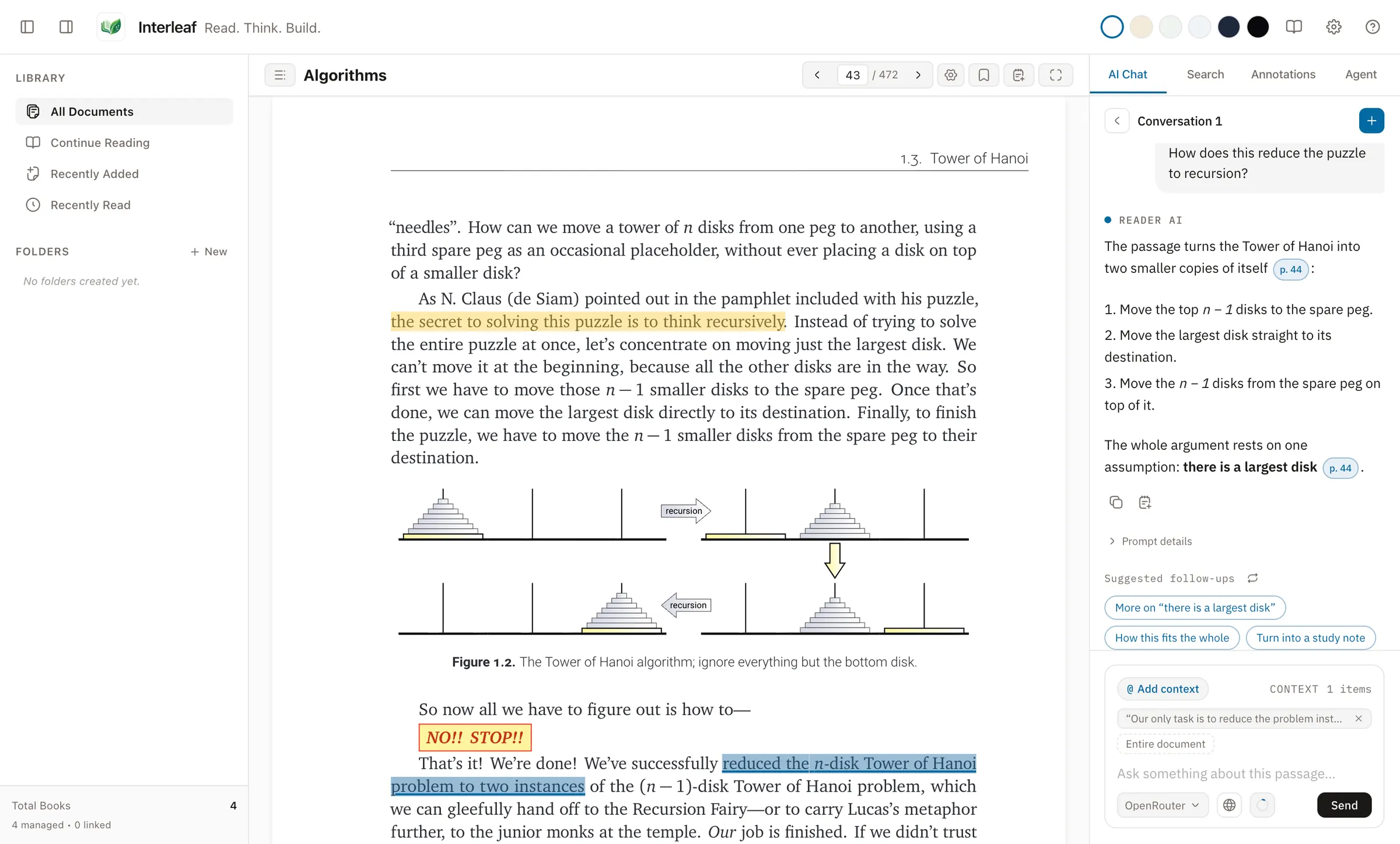
The AI Chat panel beside Algorithms, answering how the Tower of Hanoi reduces to recursion with a citation chip. The answer is a fixed sample from a test fixture.
The answer shown was scripted by the screenshot test, not generated by a model.

Agent Mode · optional

From the book to a working build.

Send a passage, a PDF page range or the whole document to a coding-agent command-line tool you have installed, with a task and a working folder. By default the run happens in an isolated Git worktree or folder copy; you review the changed files and diff, then apply it, export a patch, or discard it.

  • Watch the run, stop it, and resume a session later
  • Modes that write directly to your folder ask for confirmation first

Isolation changes where the agent starts and where its ordinary work lands. It is not a container or an operating-system sandbox: the tool runs as your user account. Run agent tools you trust.

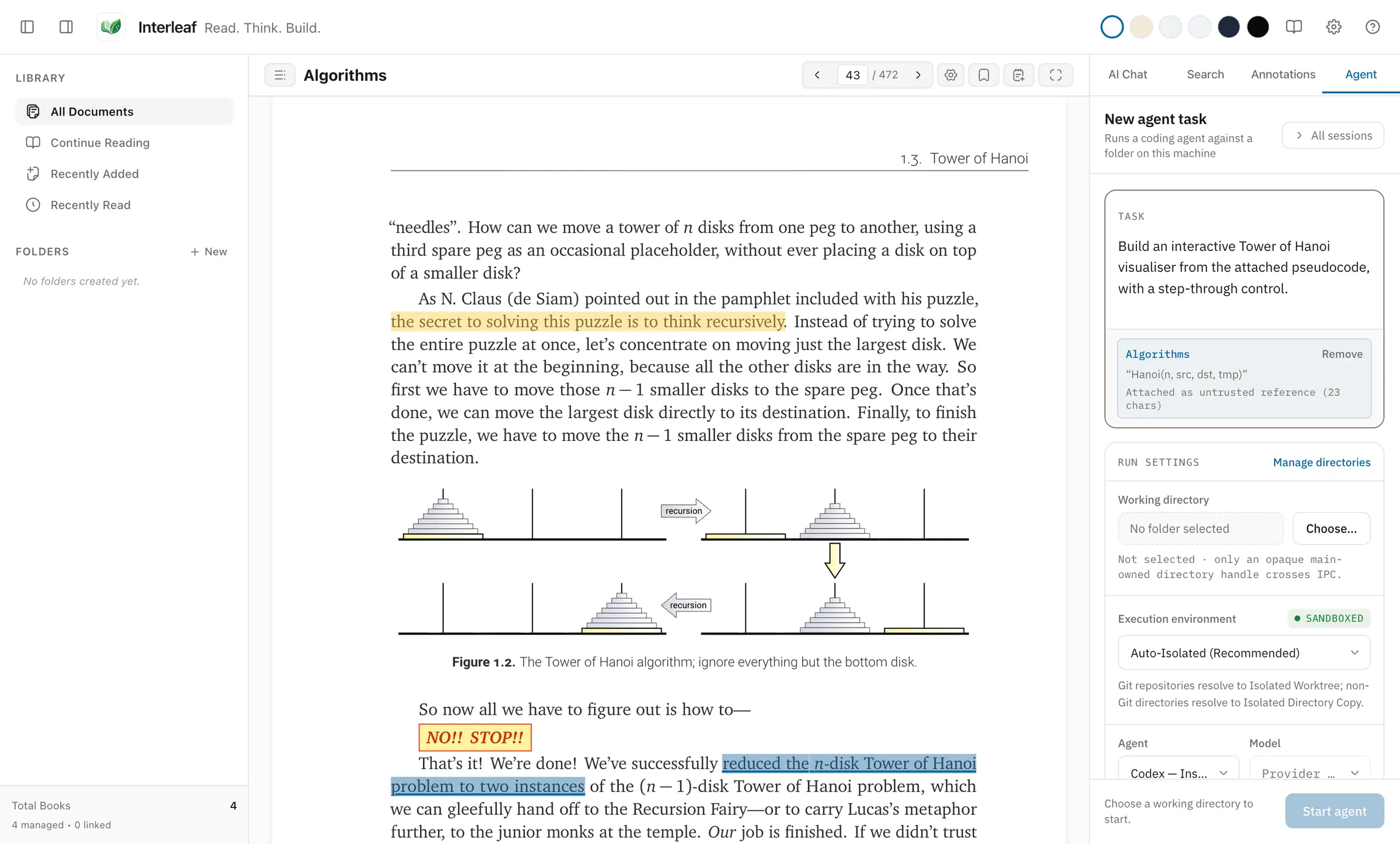
The Agent panel with the Tower of Hanoi pseudocode attached as context and a task to build an interactive visualiser. No run has been started.
A drafted task with the pseudocode attached. No agent was run for this screenshot.

Where your data lives

Stored locally. Online only for what you ask.

Two different things, stated separately — because “private” is a claim worth being precise about.

Kept on your computer

  • Your library, managed copies, highlights, notes, bookmarks, conversations, settings and search indexes, in Interleaf's application-data folder
  • No account, and no sync — reading and annotating work without any AI
  • An OpenRouter key is encrypted with Electron safeStorage, backed by the operating system's keychain
  • Diagnostic logs are bounded and redacted, and exclude document text, prompts and credentials
  • No auto-updater: Interleaf does not check for new versions

When Interleaf goes online

  • Document and prompt text go to an AI provider only when you send a chat message or start an agent run with it
  • Detecting providers and checking sign-in runs the installed tools, and some of those contact their vendor
  • Listing a local server's models contacts that server; Interleaf only connects to a loopback address, but the server may forward requests elsewhere
  • Saving a web article fetches the page you gave it
  • Each command-line tool you install is its own program, with its own network behaviour

Bring your own AI

Use the tools you already have.

Interleaf does not sell or bundle model access. It works with command-line tools you have signed in to, an OpenRouter key, or a server on your own machine. All of it is optional.

Which providers work with Reader Chat and Agent Mode
ProviderHow it connectsReader ChatAgent Mode
ChatGPT subscriptionCodex CLI sign-inYesYes
Claude CodeClaude Code CLIYesYes
PiPi CLIYesYes
OmpOmp CLIYesNo
OpenRouterAPI keyYes, with web searchNo
Local serverLoopback address, e.g. a local inference serverYesNo
Antigravityagy CLINoYes
OpenCodeOpenCode CLINoYes

Provider availability depends on each tool being installed and signed in on your computer. Usage is billed by the provider, under your own account.

By design

What Interleaf doesn't do.

The beta is coming to macOS and Linux.

Installers will be published on a separate download host, which is not set up yet. The buttons below start working once a disk image for Apple silicon and Intel Macs is published there. Until then, install only a build you got from someone you trust.

Coming soon No download is available yet: the download host is still pending.

Linux

Interleaf runs on Linux under Wayland or X11. The project builds a package for each family below; none is published yet, and they will share the same download host.

  • Ubuntu · Debian.deb
  • Omarchy · Arch Linuxpacman
  • Other compatible distributionsAppImage

Interleaf is beta software, version 0.3. Back up anything you care about, and expect rough edges.